Check Modules Exist
You don't need to install csv and json, because they are in standard library.
Without Error Massage!!
import csv
import json
Let's Start!
CSV (Comma-separated values)
- Don’t have types for their values—everything is a string
- Don’t have settings for font size or color
- Don’t have multiple worksheets
- Can’t specify cell widths and heights
- Can’t have merged cells
- Can’t have images or charts embedded in them
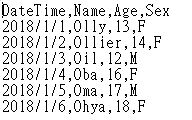
In [3]:
import csv
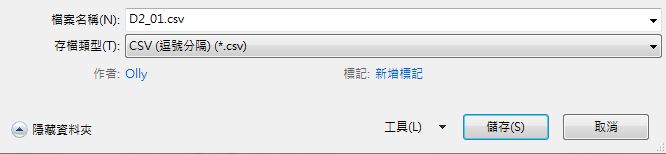
exampleFile = open('Docs/D2_01.csv')
exampleReader = csv.reader(exampleFile)
exampleData = list(exampleReader)
exampleData
Out[3]:
In [5]:
exampleData[1][1]
Out[5]:
In [5]:
exampleData[2][1]
Out[5]:
In [9]:
exampleData[6][2]
Out[9]:
Reading Data from Reader Objects in a for Loop
In [13]:
import csv
exampleFile = open('Docs/D2_01.csv')
exampleReader = csv.reader(exampleFile)
for row in exampleReader:
        print(row)
In [11]:
import csv
exampleFile = open('Docs/D2_01.csv')
exampleReader = csv.reader(exampleFile)
for row in exampleReader:
        print('Row #' + str(exampleReader.line_num) + ' ' + str(row))
In [18]:
import csv
outputFile = open('Docs/D2_02.csv', 'w', newline='')
outputWriter = csv.writer(outputFile)
outputWriter.writerow(['dog', 'cat', 'bird'])
outputWriter.writerow(['Hi, dog!', 'cat', 'bird'])
outputWriter.writerow([1, 2, 3.14])

outputFile.close()
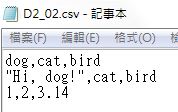
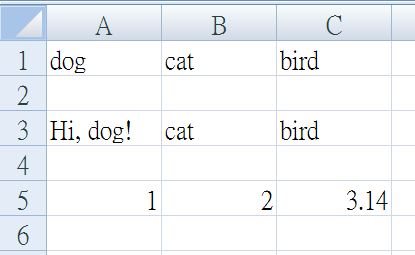
- Automatically escapes the comma with csv module
In [21]:
import csv
outputFile = open('Docs/D2_03.csv', 'w')
outputWriter = csv.writer(outputFile)
outputWriter.writerow(['dog', 'cat', 'bird'])
outputWriter.writerow(['Hi, dog!', 'cat', 'bird'])
outputWriter.writerow([1, 2, 3.14])

outputFile.close()
In [36]:
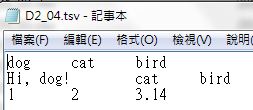
import csv
outputFile = open('Docs/D2_04.tsv', 'w', newline='')
outputWriter = csv.writer(outputFile, delimiter='\t')
outputWriter.writerow(['dog', 'cat', 'bird'])
outputWriter.writerow(['Hi, dog!', 'cat', 'bird'])
outputWriter.writerow([1, 2, 3.14])

outputFile.close()
JSON (JavaScript Object Notation)
- A popular way to format data as a single human-readable string
- Many websites make their data available in JSON format, and offer APIs (Application Programming Interfaces ) for programs to use
In [23]:
JasonString1 = '{"name": "Olly", "Female": true, "Height": 154, "Weight": null}'
type(JasonString1)
Out[23]:
In [24]:
import json
JasonAsPyValue =json.loads(JasonString1)
JasonAsPyValue
Out[24]:
In [25]:
type(JasonAsPyValue)
Out[25]:
In [31]:
PyDict = {'Female': False, 'Height': None, 'Weight': 50, 'name': 'Ohbo'}
type(PyDict)
Out[31]:
In [32]:
import json
PyDictAsJason = json.dumps(PyDict)
PyDictAsJason
Out[32]:
In [60]:
type(PyDictAsJason)
Out[60]:
Project : Fetching Current Weather Data
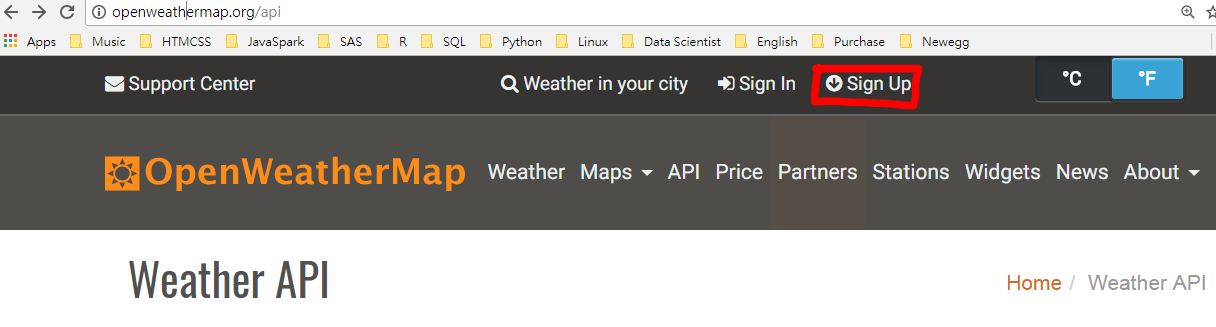
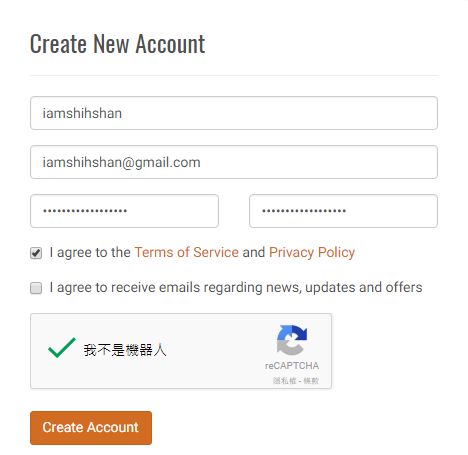
Create personal account
Find your personal API key after login

There is the document for Howt to Start
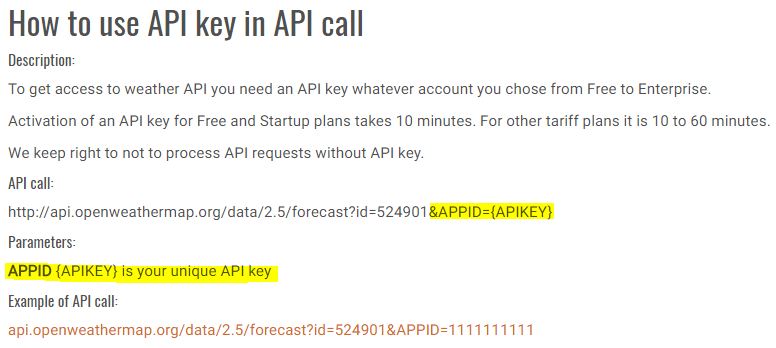
Step 1: Download the JSON Data
In [164]:
import json, requests
url = 'http://api.openweathermap.org/data/2.5/weather?q=%s&APPID=%s' %(location, APPID)
response = requests.get(url)
response.raise_for_status()
Step 2 : Load JSON Data and Print Weather
In [165]:
weatherData = json.loads(response.text)
In [166]:
weatherData.keys()
Out[166]:
In [167]:
weatherData
Out[167]:
Get information of 'City', 'Datetime' and 'Weather'
- name : City name
- dt : Time of data calculation, unix, UTC
- weather.main : Group of weather parameters (Rain, Snow, Extreme etc.)
- weather.description : Weather condition within the group
In [168]:
city = weatherData['name']
dt = weatherData['dt']
weather = weatherData['weather'][0]
In [169]:
city
Out[169]:
In [170]:
import datetime
dtime = datetime.datetime.fromtimestamp(dt).strftime('%Y-%m-%d %H:%M:%S')
dtime
Out[170]:
In [171]:
w_main = weather['main']
w_main
Out[171]:
In [172]:
w_desc = weather['description']
w_desc
Out[172]:
Print current wheather information
In [173]:
print('~~ Current Wheather ~~')
print('★ Location :\t', city)
print('★ Date Time :\t', dtime)
print('★ Weather :\t', w_main, '-', w_desc)
Step 3 : Keep Weather Informantion as csv file
In [174]:
import csv, json

outputFile = open('Docs/D2_05.csv', 'w', newline='')
outputWriter = csv.writer(outputFile)
outputWriter.writerow([city, dtime, w_main, w_desc])

outputFile.close()

Exercise
Work with CSV files & JSON in Python
- Import csv & json & requests
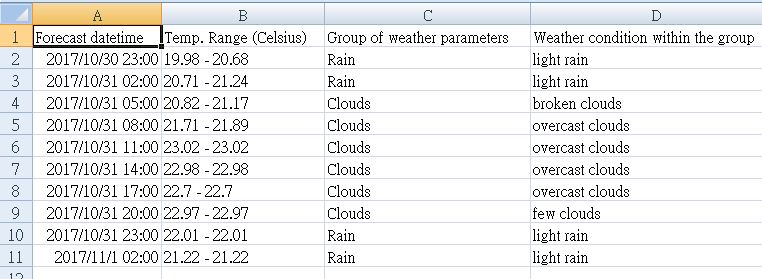
- Get 5/3hrs days weahter forecast result for Taipei from OpenWeatherMap
- API call:
http://api.openweathermap.org/data/2.5/forecast?q={city}&units=metric&APPID={APPID} - Parameters:
- APPID : API Key
- q : city name
- units=metric : Temperature (Celsius)
- API call:
- Write data as csv file
Answer
In [199]:
import csv, json, requests, datetime
def Forecast30hrs(location, csvfile, APPID):
    # Use openweathermap API get json sting
    url = 'http://api.openweathermap.org/data/2.5/forecast?q=%s&units=metric&APPID=%s' %(location, APPID)
    response = requests.get(url)
    response.raise_for_status()
    # load json as dict()
    weatherData = json.loads(response.text)
    # Get weather information by the key of dict()
    w = weatherData['list']
    # Open csv file
    path = 'Docs/'+ csvfile
    outputFile = open(path, 'w', newline='')
    outputWriter = csv.writer(outputFile)
    # Write column names
    outputWriter.writerow(['Forecast datetime', 'Temp. Range (Celsius)', \
                           'Group of weather parameters', 'Weather condition within the group'])
    for i in range(10):
    # Get Forecast datetime, min/max daily temperature, main, description
        dtime = datetime.datetime.fromtimestamp(w[i]['dt']).strftime('%Y-%m-%d %H:%M:%S')
        temp_min = w[i]['main']['temp_min']
        temp_max = w[i]['main']['temp_max']
        main = w[i]['weather'][0]['main']
        desc = w[i]['weather'][0]['description']
        # Write rows into csv file
        outputWriter.writerow([dtime, str(temp_min)+ ' - ' +str(temp_max), main, desc])
    outputFile.close()
Fill your API Key into APPID
APPID = '848b6cd4XXXXXXXXXXXXXXX'
In [201]:
Forecast30hrs('Taipei', 'D2_Exercise.csv', APPID)